
ELXR gets the file list
Some updates stopped with "Couldn't get the file list for this version", even when the files were there. ELXR was asking before it was ready. It now waits, and tries again if the connection drops, before it tells you an update failed.
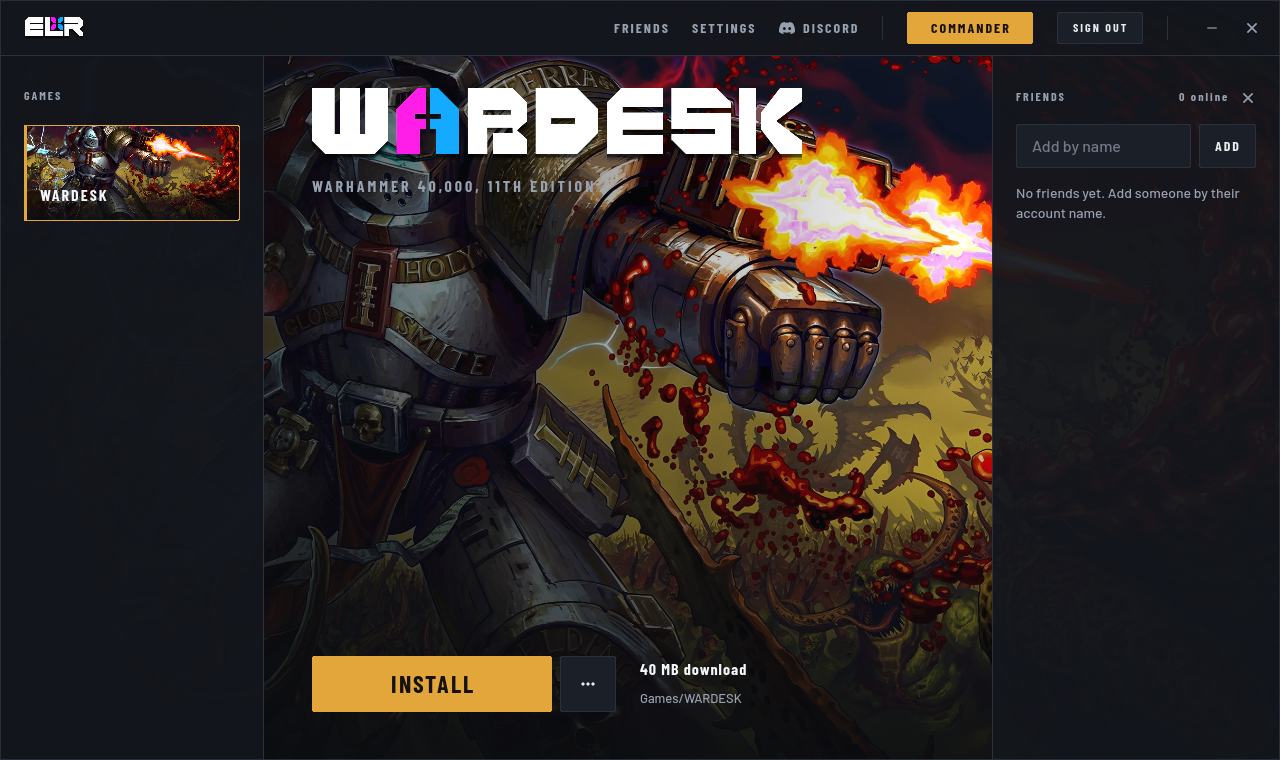
Deathwatch Support for Space Marines
A Space Marine, Blood Angels, Dark Angels, Space Wolves or Black Templars army can take Deathwatch Support. It costs 1 detachment point. You can add up to 500 points of Deathwatch units, and a Deathwatch model cannot be your Warlord. Black Spear Task Force stays a Deathwatch army detachment.
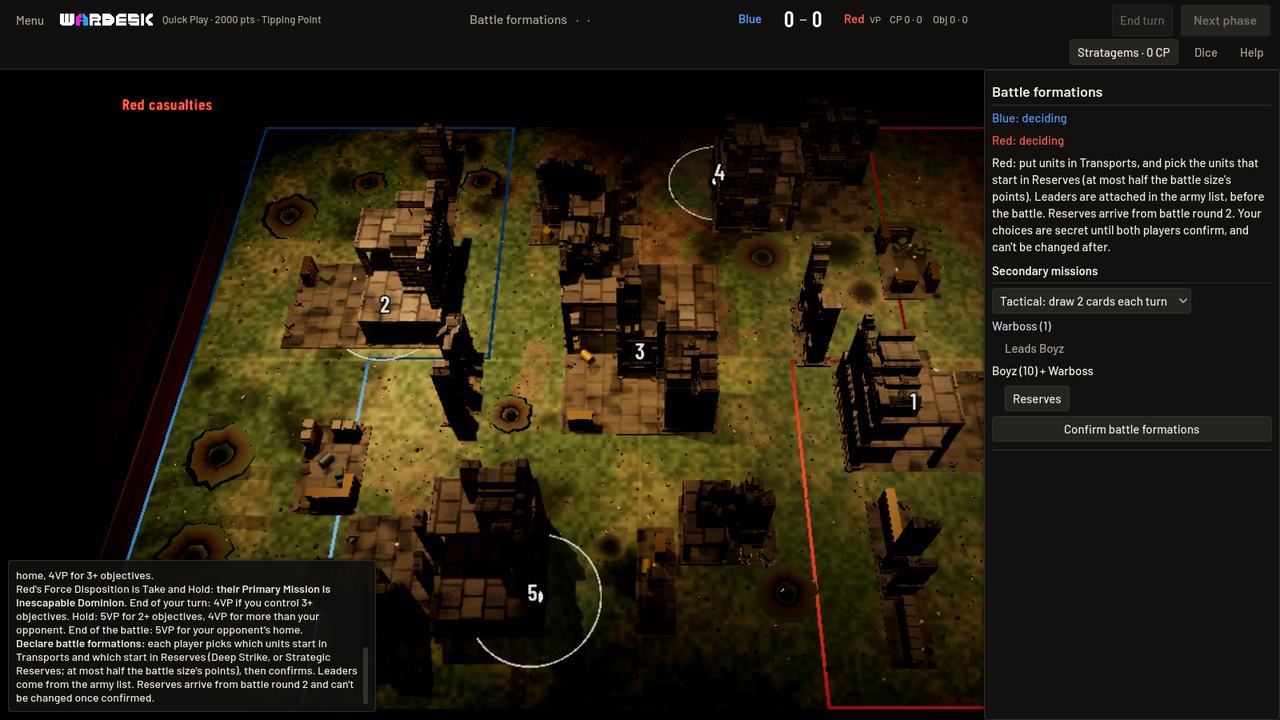
Leaders are set before the battle
Who leads a unit is chosen in your list. Declare battle formations now only asks about transports and reserves. A leader who is already attached is shown, and you don't pick them again.
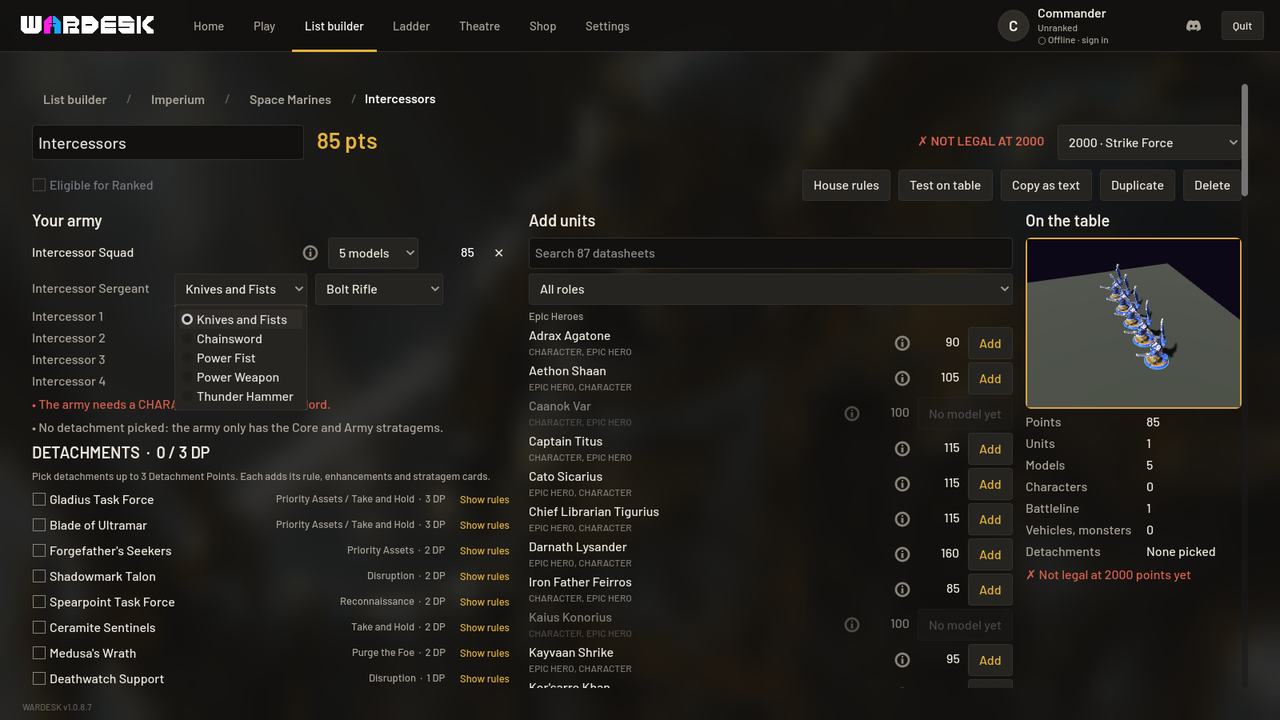
Every model has its own row
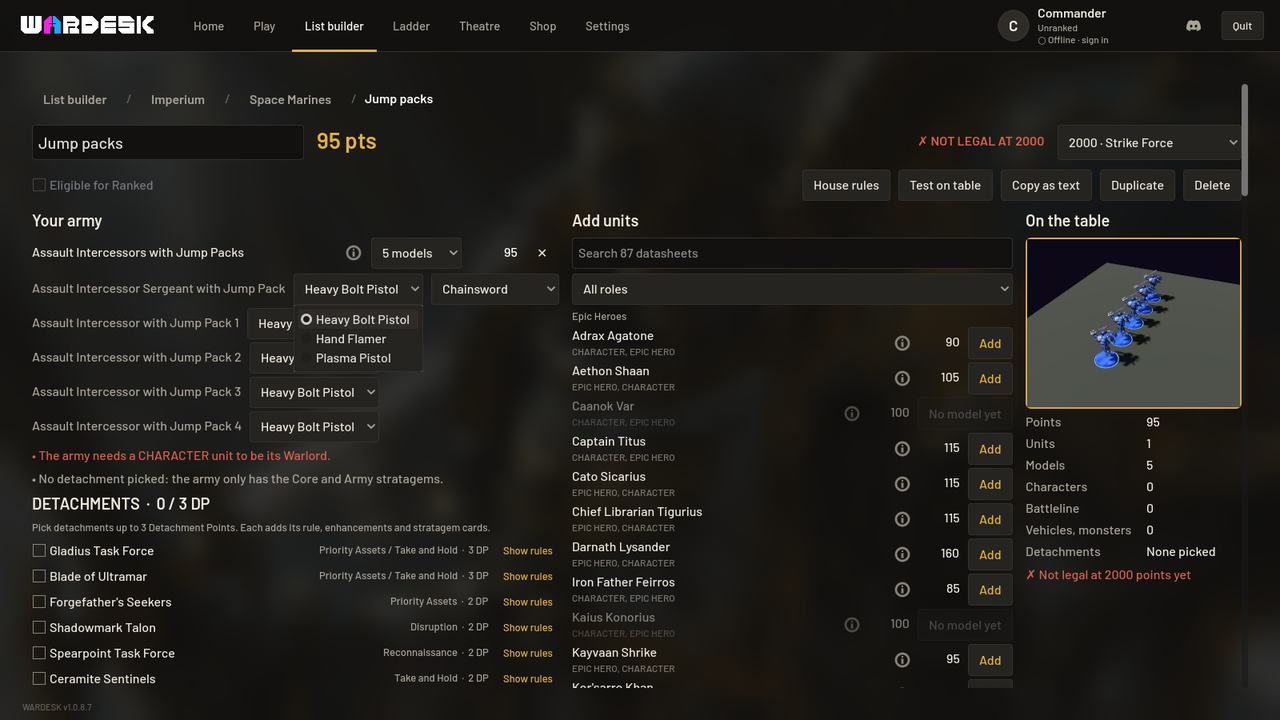
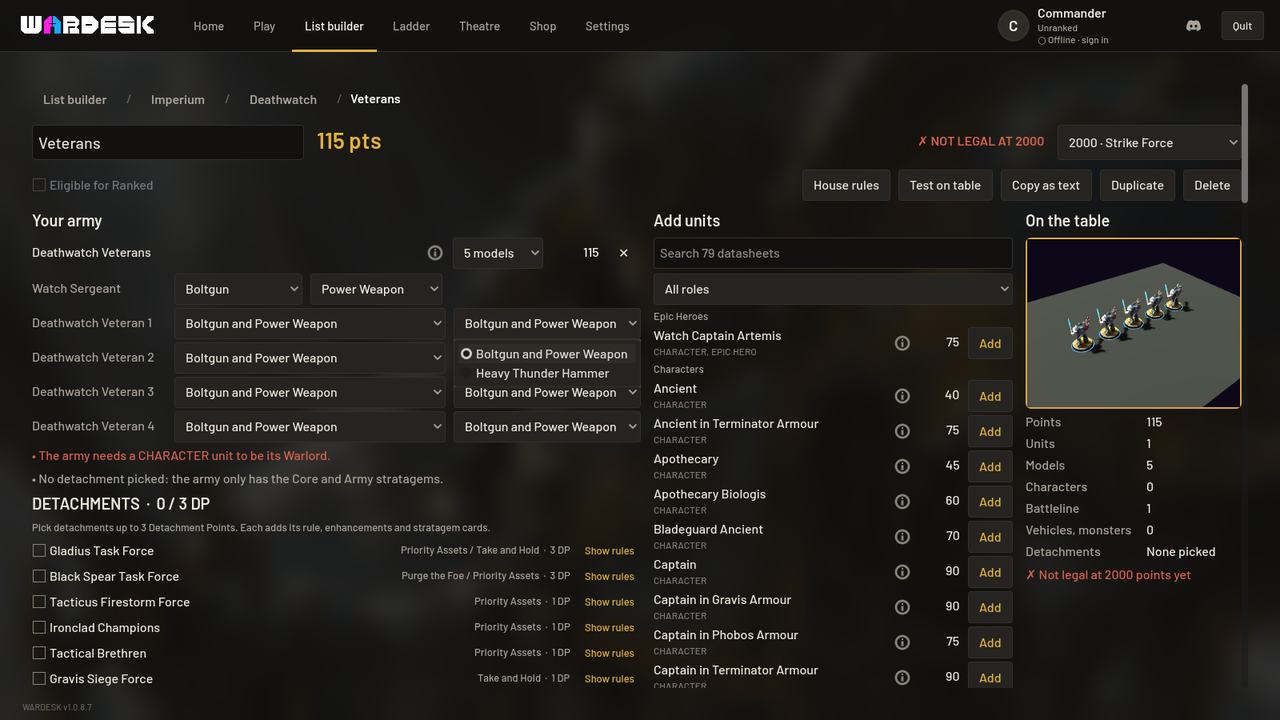
A squad lists each model by name. A 5-model Intercessor Squad is the sergeant and four Intercessors. A dropdown only appears when that model can change a weapon, and it only offers what the datasheet allows. The choice already selected is the datasheet's own weapon. What you pick is saved with the list and is what the unit uses in the battle.
Every weapon and wargear option
Every weapon a datasheet can swap to is in the List Builder now, along with wargear such as storm shields, icons and vox-casters. A wargear ability only counts when you pick that wargear.
The datasheet's limits apply. If a unit can't take the same weapon twice, it is greyed out once one model has it, unless the unit is big enough to allow a second. Choices that rule each other out are greyed out too, such as a Plague Drone's icon and instrument.
In Your army, each unit's models are folded away. Press Show models to see and change them.
Smoother controls
The camera eases into place and zooms towards the pointer. Tab picks your next unit, right-click shoots at the unit under the pointer, and Esc opens the menu.
You pick your casualties
When your unit is attacked, you click which of its models die first, or keep your usual order. A unit that ends a turn out of coherency loses the models you pick, so the game never takes your leader for you.
One model at a time
Press One model at a time on a unit's cards to move each model on its own. The unit only has to be back in coherency when you press Done moving.